Lightning API · Radar tilesBeta
Live radar, one line into your map.
Standard XYZ tiles. Point the map library you already use at one URL and reflectivity appears over your base map, refreshed every five minutes.
https://tiles.lightningapi.dev/v1/radar/{frame}/{z}/{x}/{y}.png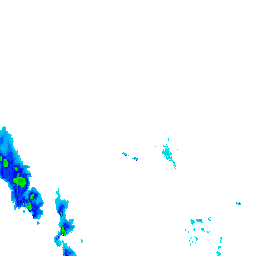 6/11/20
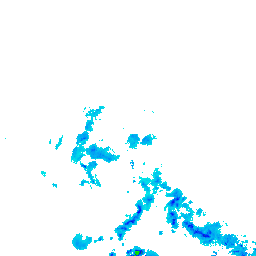 6/12/20
 6/13/20
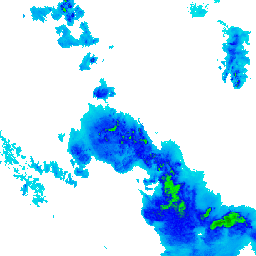 6/11/21
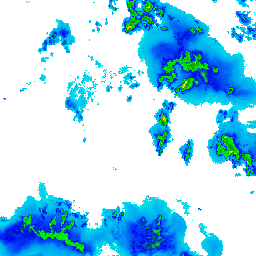 6/12/21
 6/13/21
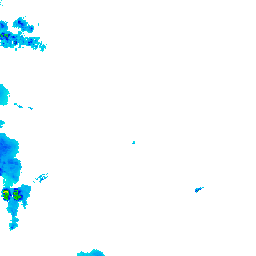
Six real tiles, seams shown. Your map requests these and stitches them itself.
Running now
Radar and strikes on the same map.
Nobody else sells lightning as its own product, let alone alongside radar from one vendor and one bill. Toggle the layers and switch palettes below.
Integration
Two calls, then it is a tile layer like any other.
Exchange your API key for a short-lived tile token, then ask which frames your plan can reach.
curl -X POST https://api.lightningapi.dev/v1/radar-tiles/token \
  -H "X-API-Key: YOUR_API_KEY"

# -> { "token": "...", "url_template": "...", "window_seconds": 86400 }

curl "https://tiles.lightningapi.dev/v1/frames?t=TOKEN"

# -> { "frames": ["202609030040", "202609030045", ...] }
Then hand the template to your map. This is Leaflet; MapLibre and Mapbox take the same URL as a raster source.
L.tileLayer(
  `https://tiles.lightningapi.dev/v1/radar/${frame}/{z}/{x}/{y}.png`
    + `?t=${token}&palette=reflectivity`,
  { opacity: 0.8, maxZoom: 12 }
).addTo(map);
What you get
- 256px PNG, Web Mercator
- The scheme Leaflet, MapLibre, Mapbox GL and OpenLayers already speak. Transparent where there is no echo, so it composites straight over your base map.
- New frame every 5 minutes
- Ultimate reaches back 24 hours. Supercell reaches back 7 days. Ask for a frame outside your window and the response says so, rather than quietly returning a different time.
- Four palettes
- A conventional reflectivity ramp by default, plus amber, amber-violet and thermal to match your own map. Colour is applied per request, so switching changes nothing underneath.
- Coming next: storm rotation
- See where a storm is turning, near the ground and higher up. Rotation is the signal that comes before a tornado, and it is the thing you want to know first. Same tiles, same integration.
- Its own allowance
- 5,000,000 tiles a month on Ultimate, unlimited on Supercell. Counted separately from your API calls, so a busy map never spends the budget you bought for strike data.
Radar tiles are in beta: they are live and included on the plans below, and the shape of the API may still move before it settles. Anything that changes will be announced before it does.
Radar covers the continental United States. Tiles outside that area come back transparent rather than as an error, so a map that pans off the coverage simply shows nothing.
Included on Ultimate and above.
Ultimate carries 24 hours of radar history, Supercell seven days alongside unlimited calls. No separate radar bill and no sales call.